
Figma Config 2026 - Canvas is not dead?
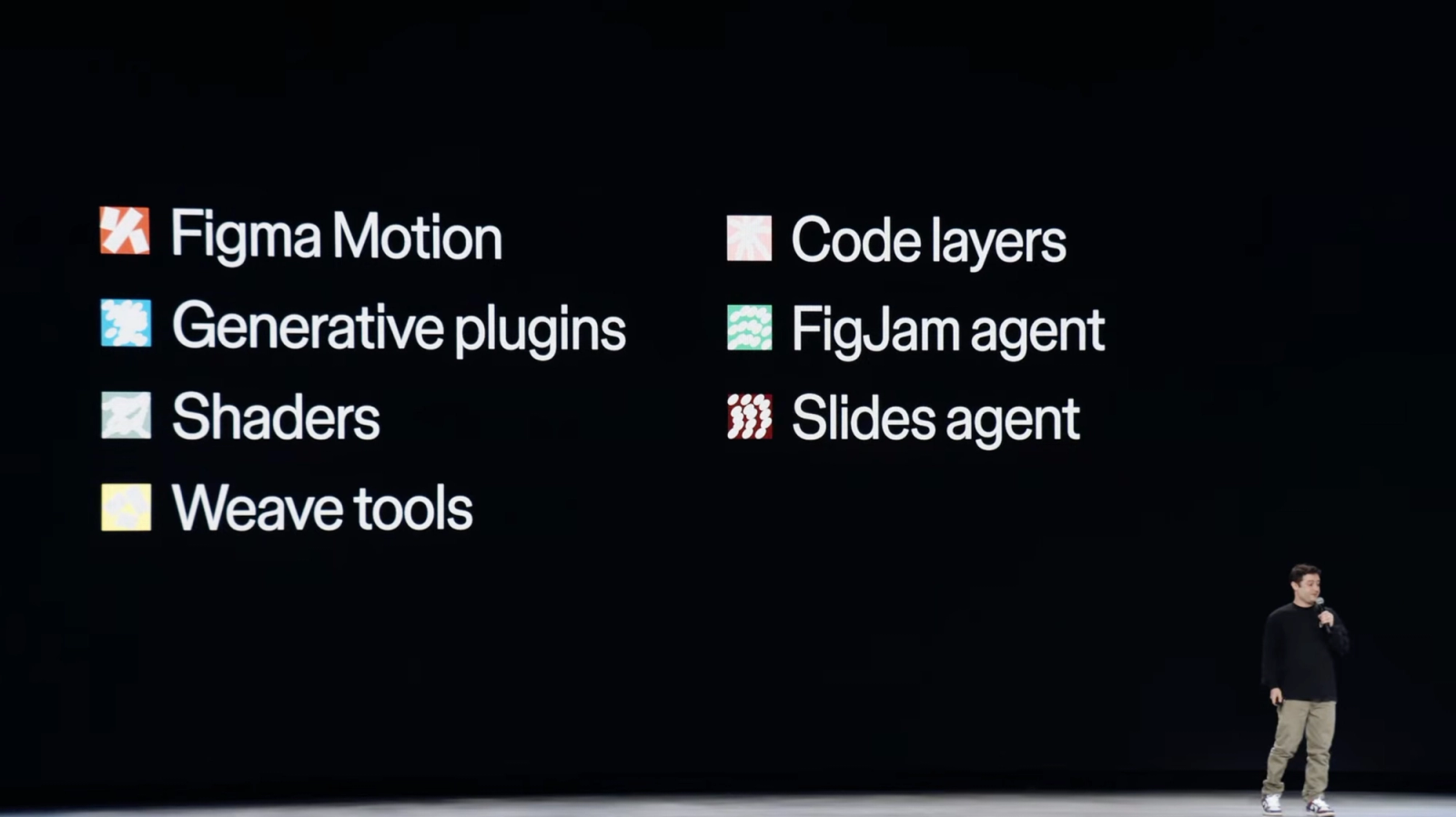
Figma is pushing the canvas beyond static interface design. The big theme is that the canvas becomes the shared place where design, code, motion, AI workflows, and production assets can sit together. The interesting part is not "AI makes things faster." It is that Figma is trying to make previously separate work materials feel native to the same collaborative canvas:
Now, let’s go over all the new announcements and takeaways.
- code becomes a layer you can duplicate, comment on, inspect, and push back to a repo
- motion becomes part of the design system, not a late handoff artifact
- shaders and plugins become promptable custom tools inside the file
- Weave workflows bring image/video/3D generation closer to brand and layout work
- the design agent gets more context through files, Figma links, web search, MCP connectors, and reusable skills
1. Code layers: code as design material
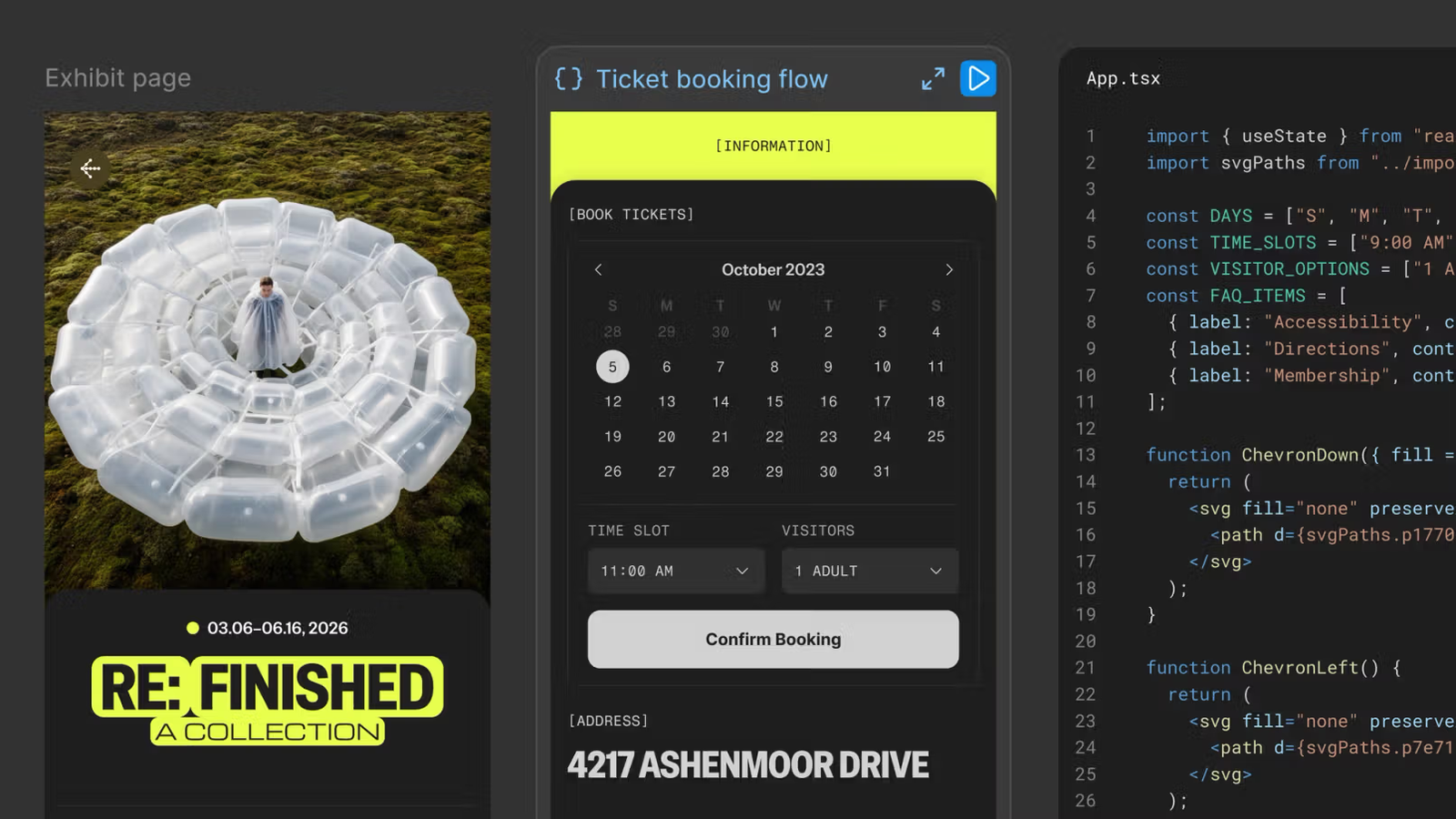
Figma's framing is direct: the old "design versus code" debate is false. Code is being treated as another canvas material, like images, vectors, and design layers.
What stood out:
- You can add a code layer from the toolbar, generate one with the Figma agent, create one from an existing frame, start from a template, import a GitHub repo, or upload a local folder.
- Teams can duplicate code layers to explore alternatives side by side.
- The code layer can respond immediately as you move, adjust, and resize elements.
- "Extract designs" converts the current code state into editable Figma layers. You can edit visually, then update the code layer with one click.
- You can annotate in the code editor, ask the agent for a change, edit manually, then push the final version back to the repo.
Takeaway: this is less about replacing engineers and more about making interactive ideas easier to discuss. A static mockup can hide behavior. A code layer makes the behavior visible and debatable earlier.
Availability: closed beta rolling out over the next few weeks, with early access signup.
2. Figma Motion: motion becomes part of the system
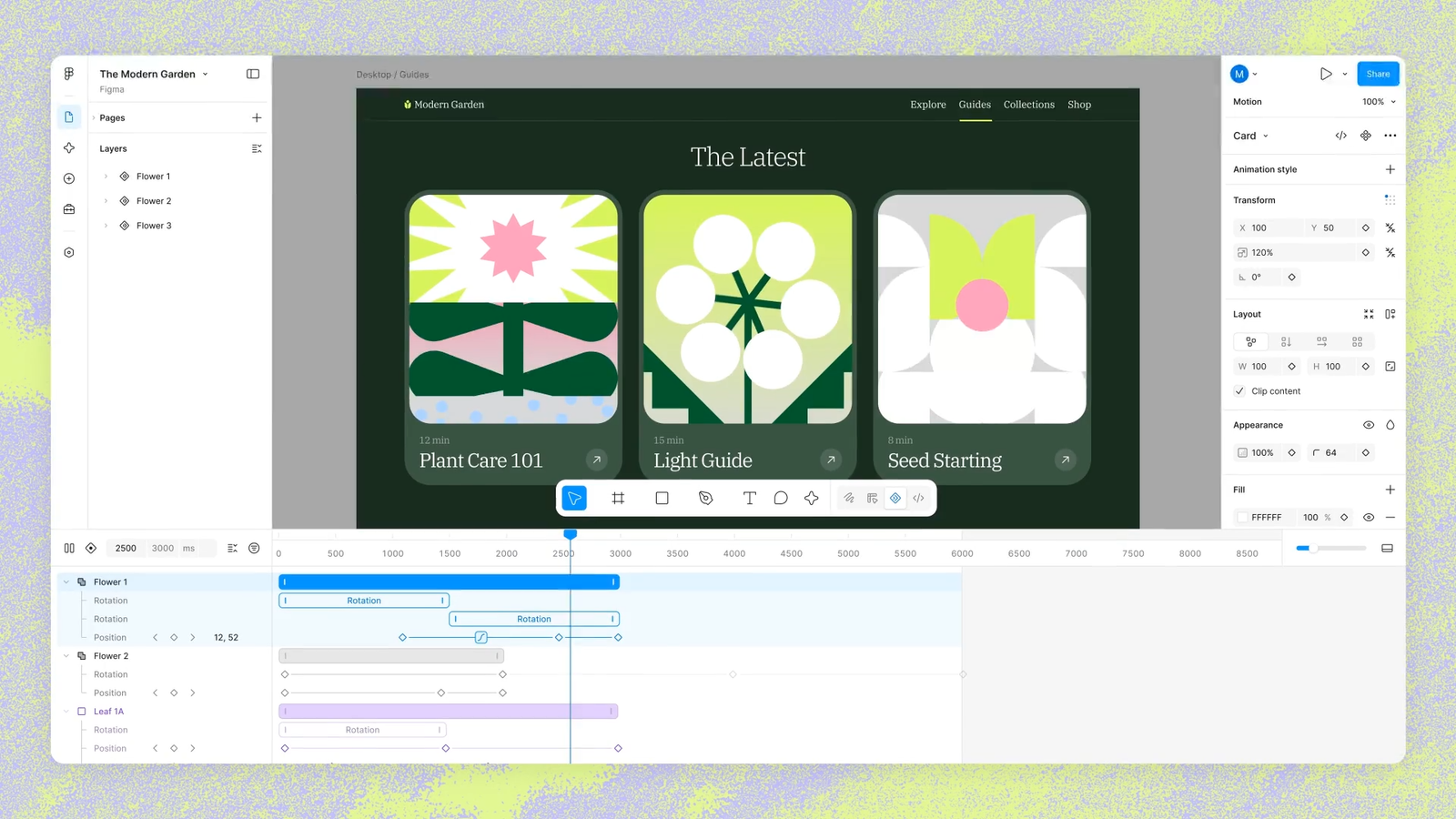
Motion is moving into the same file as components, variables, comments, and Dev Mode. That matters because motion usually disappears into a handoff gap.
What stood out:
- Motion mode sits alongside Design, Draw, and Dev modes.
- Timeline controls support timing adjustments, scrubbing, keyframes for position/scale/rotation/opacity, auto keyframing, and time-based comments.
- Animation styles include presets like fade, move, and scale, with stacking and sequencing.
- Animated components carry motion across files like typography and fills.
- Motion variables let teams define easing modes and update animations at the page level.
- Shader parameters can be keyframed, which opens up more expressive motion than standard layer properties.
- Dev Mode exposes timing, easing curves, and keyframes. Developers can copy CSS, JSON, React, and motion.dev code.
- Motion exports include MP4, GIF, SVG, and WebM.
- Motion is MCP-compatible, so an animated frame can be passed to a coding agent with its full motion context.
Takeaway: the more motion becomes inspectable and reusable, the less it feels like polish. It becomes part of the product language.
Availability: open beta. Starter users get limited exports. Full seat users on all plans get motion primitives and export. Full design system integration and motion agent support are on paid plans. 3D transforms have a separate waitlist.
3. Shaders and generative plugins: custom tools on the canvas
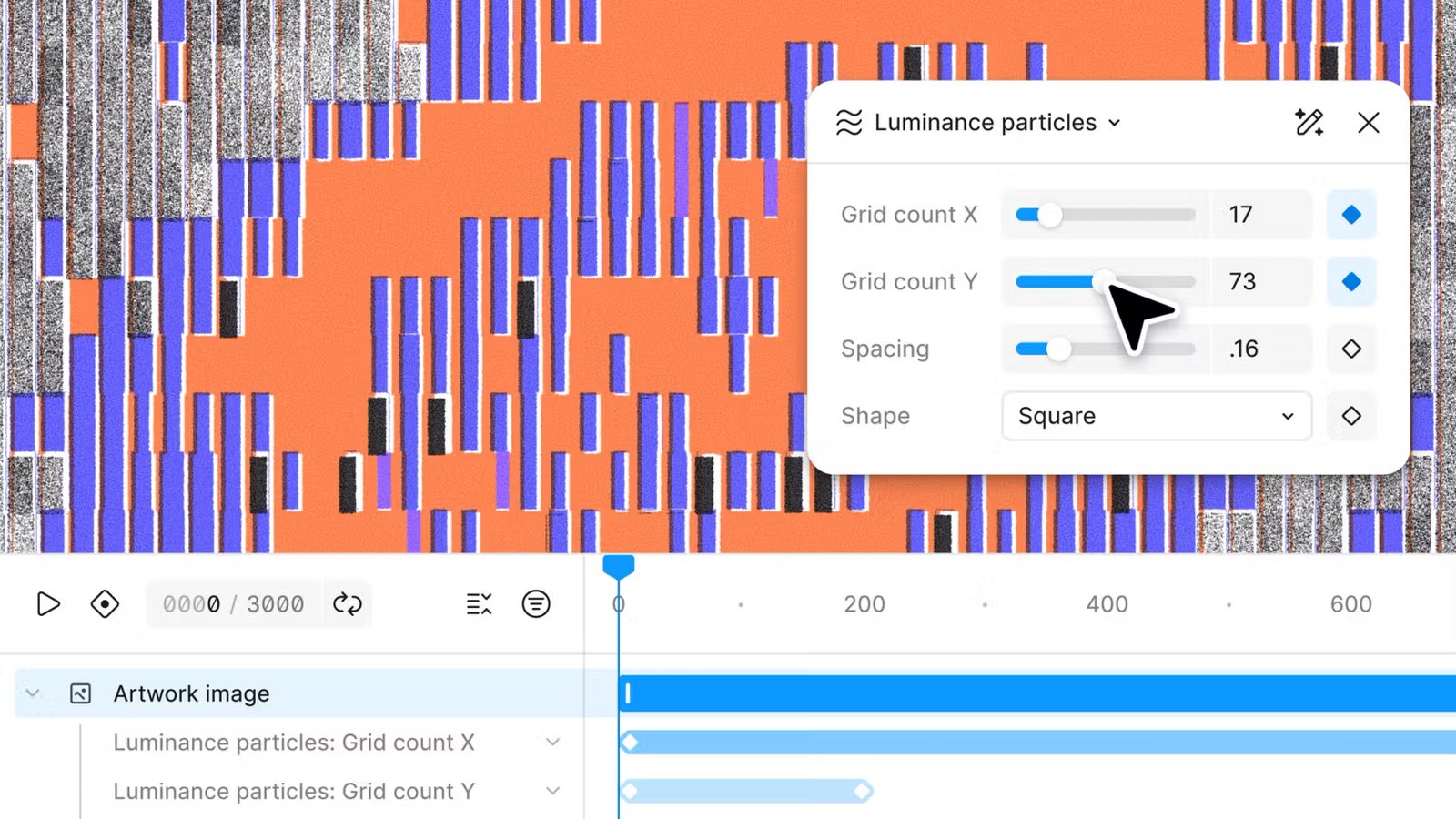
The agent can now generate tools and visual effects that behave like native Figma features.
What stood out:
- Shader effects work like native effects, but are custom-built: particle stretch, lens distortion, color outline, etc.
- Shader fills act as dynamic materials: watercolor, moire, pattern grids, and similar generative textures.
- The agent can build shaders from a text prompt or image reference.
- Parameters become editable controls on the canvas.
- Generative plugins can be created by describing the behavior, controls, and parameters.
- For anything that reaches outside Figma Design, like third-party APIs or AI services, classic plugins are still the right path.
- Using a plugin or shader is free on all plans. Prompting the agent to build them requires design agent access and will use AI credits after general availability.
Takeaway: this is a big shift for design operations. A designer can turn repeated micro-workflows into small internal tools without waiting for a developer or leaving the file.
4. Weave: reusable creative production workflows
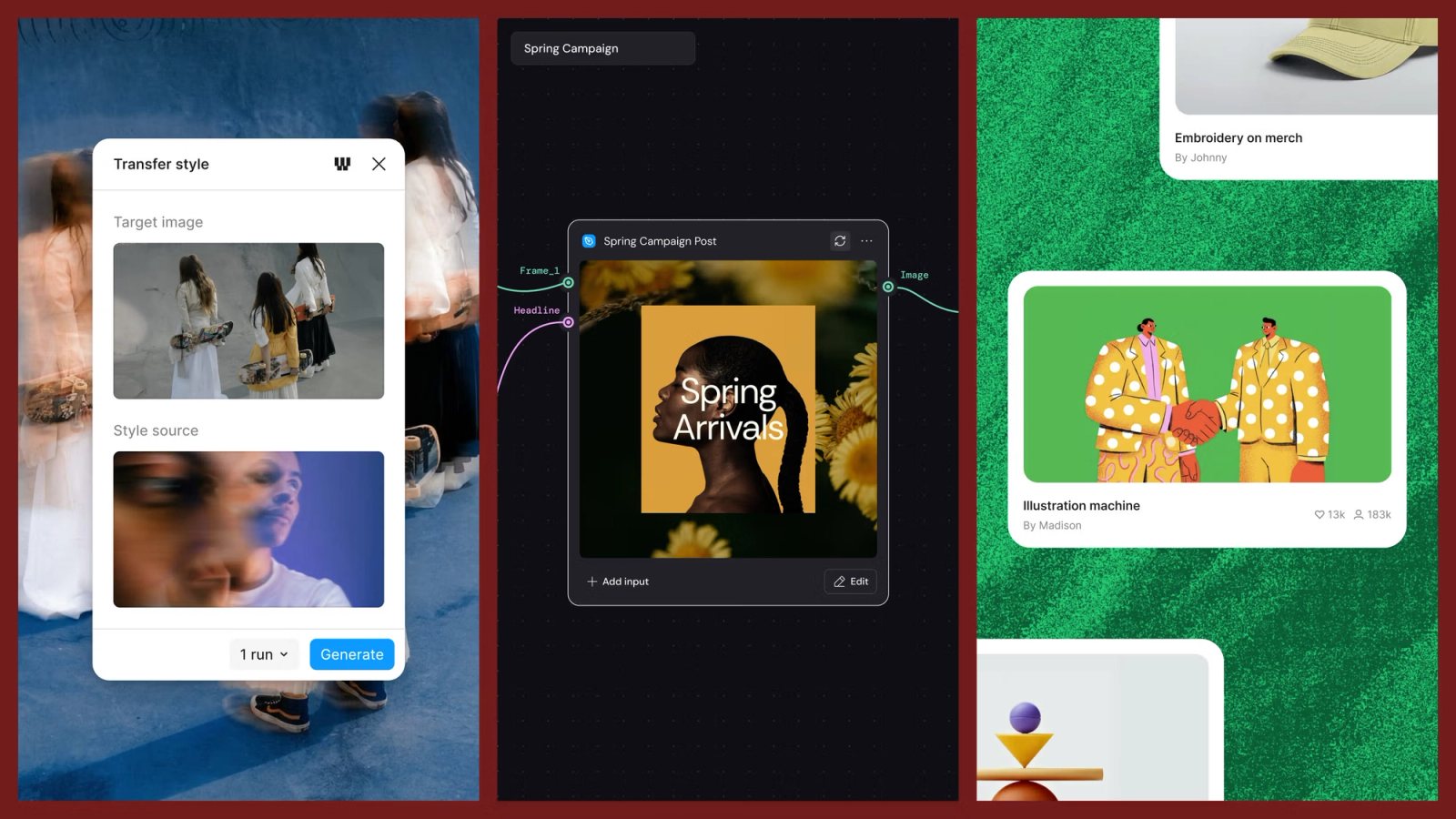
Weave is Figma's node-based generative workflow canvas. The Config updates bring those workflows closer to normal Figma design work.
What stood out:
- 20+ Weave tools are now available from Figma Design's left panel.
- Tools cover AI image tasks like style transfers, product shoots, material extraction, art direction, aspect ratio changes, and rendering in specific visual styles.
- A Weave tool is a prebuilt workflow packaged as a simple Figma UI.
- Designers will soon be able to publish their own Weave workflows as tools in Figma.
- Weave workflows can now be published to Figma Community as templates.
- The upcoming Figma node will let a Figma frame become a live input inside Weave. Edits in Figma update the Weave workflow in real time.
Takeaway: the interesting thing is repeatability. AI image generation can be random and one-off. Weave turns prompts and model steps into a reusable process that others can inspect and remix.
Availability: Weave tools are in open beta and free during beta. After general availability, Weave tools in Figma will consume Figma AI credits. The Figma node in Weave is expected later this summer.
5. Figma's design agent: more context, more team memory
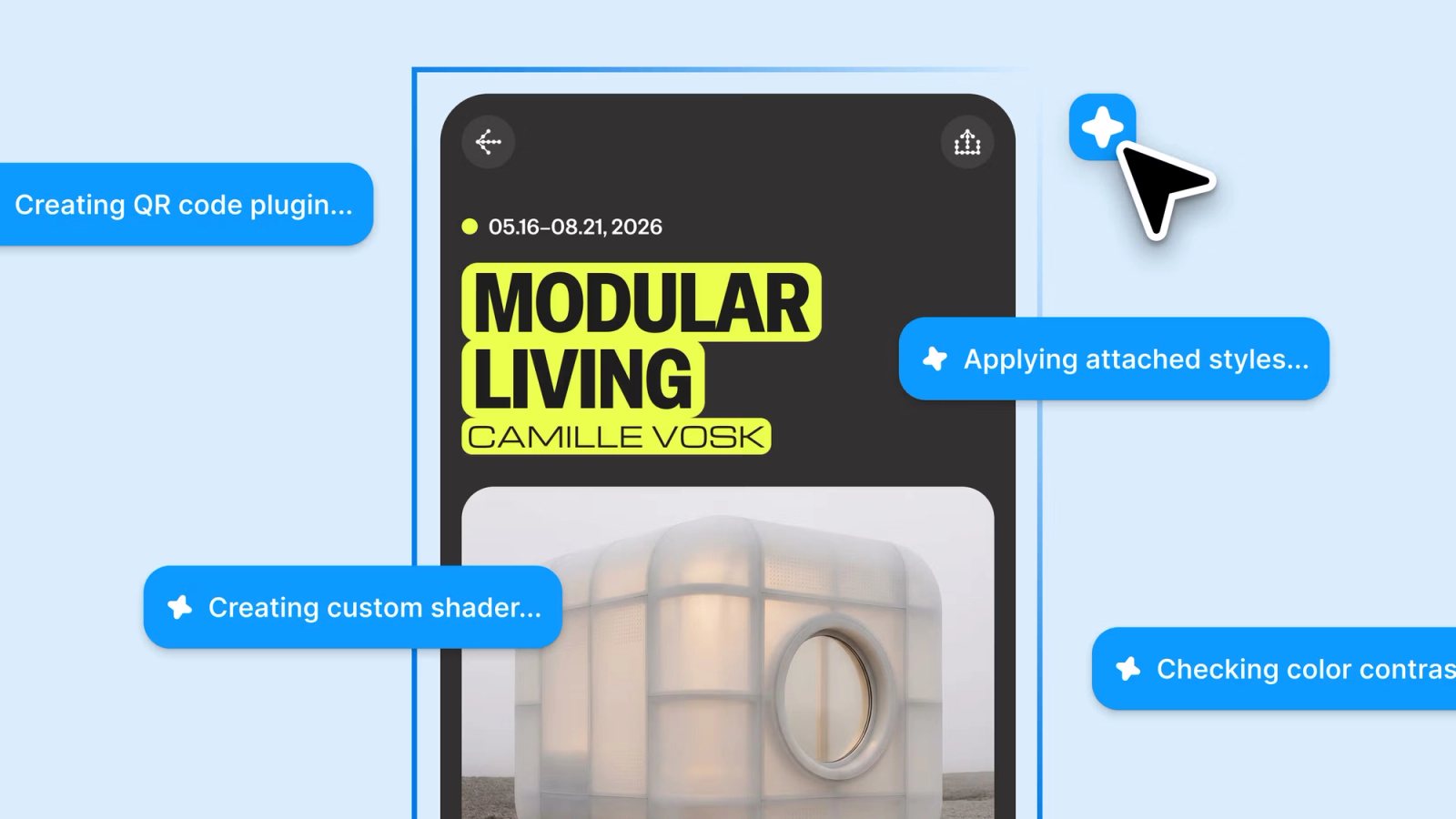
Figma is making the agent less like a blank prompt box and more like a teammate that can use the team's actual materials.
What stood out:
- Attachments: drop in user interviews, UX copy docs, reports, or other project artifacts.
- Figma file links: the agent can read components, tokens, layouts, and styles from linked files.
- Web search: the agent can pull current content or references into the work.
- MCP connectors: connect tools like GitHub, Atlassian, Slack, Linear, Hex, Notion, Granola, and others, and post updates back.
- Skills: reusable slash commands that package prompts, design philosophy, review lenses, aesthetics, or automations.
- Agent conversations are visible to file collaborators by default, with private chats available.
Canvas is not dead
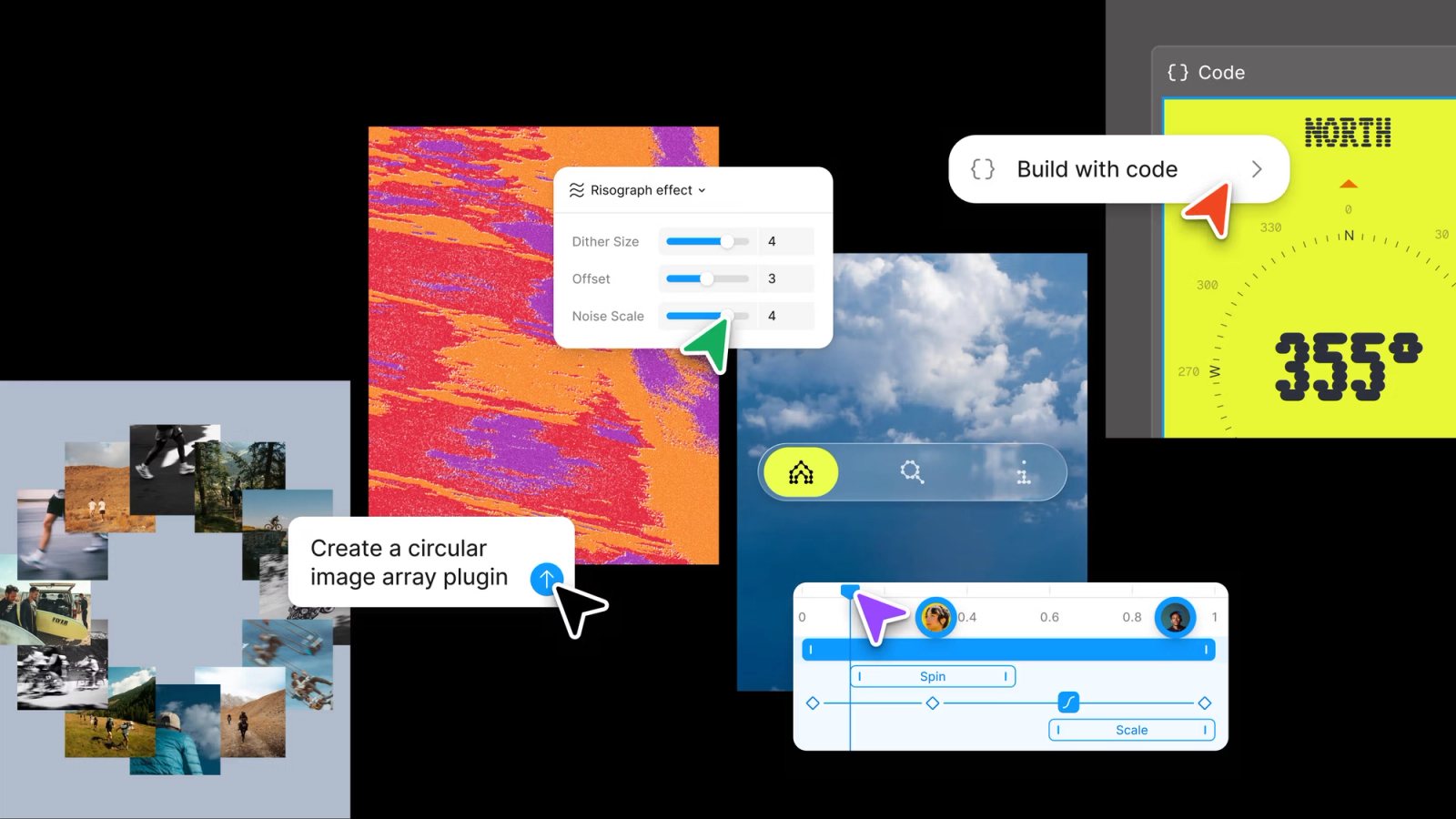
The product direction is clear. Prompting alone is too shallow. Context, reusable skills, and visible process are what make AI useful for teams.
Figma is no longer just where product ideas are represented. It is becoming where more of the work actually happens: code exploration, motion definition, AI generation, feedback, context gathering, and handoff. The canvas is becoming less like a static design file and more like a shared workspace for materials: pixels, code, motion, prompts, workflows, and decisions.
I keep coming back to this: ideas don't sit still. They move, morph, diverge and converge, shrink and expand — that's just how problem-solving actually works. Canvas earns its place by being the platform where that motion can happen in the open, not a fixed file you update after the thinking's done. And what makes that possible now is speed without friction — teams sharing pixels, code, motion, prompts, all of it, without sitting through another "reasoning..." spinner. Things move at the speed of the ideas, not the speed of the model. So no, canvas isn't dead. Agentic AI is what turns it into a real platform for diverse materials — one that raises the ceiling on what's possible while lowering the floor on who can get there.